
Reorder, rotate, split and remove pages while keeping the final document visible.
PDF EDITOR FOR MAC, IPHONE & IPAD
Your Complete PDF Editor for Mac, iPhone & iPad.
Edit PDF text, add images, organize and rearrange pages, annotate documents, draw, add electronic signatures, merge and split PDF files, and more. Smart PDF Pilot brings powerful, easy-to-use PDF editing tools together for your Apple devices.
PDF Editor for Mac
•
PDF App for iPhone & iPad
•
Easy PDF Editing
Available on the Apple App Store · Start with the free plan
Powerful PDF Editor
Edit and manage your PDF documents with ease.
Free to Start
Start editing and upgrade when you need more.
Built for Mac
A focused desktop experience for your PDF workflow.
EDIT PDF
ORGANIZE
ANNOTATE
SIGN
OCR
CONVERT
PROTECT
01 / THE DESKTOP WORKSPACE
Made for the way you actually work on Mac.
A PDF should feel like a document you can work with — not a file you keep uploading, downloading and moving between unrelated tools.
Smart PDF Pilot brings the important actions around the document itself. Open a file, make the change, check the result and continue.
01See the document
Keep your pages visible while you work.
02Choose the task
Use clear tools instead of hunting through menus.
03Finish the file
Move from edit to final document with fewer steps.
02 / PDF TASKS
Explore PDF editing tasks
From quick edits to page organization, find the right PDF task and see which tools help you get it done.
Explore all PDF tasks →
01
↗
02
↗
03
↗
04
↗
05
↗
Edit a PDF
Update text, adjust images and make changes directly in your document.
Organize pages
Reorder, rotate, split and arrange pages into a more useful document.
Annotate & review
Highlight text, add comments and mark important details for review.
Sign & prepare
Add your signature and prepare documents for sharing or submission.
Recognize scanned pages
Make scanned documents more useful with searchable text workflows.
03 / SEE IT IN THE APP
See your PDF workflow in action.
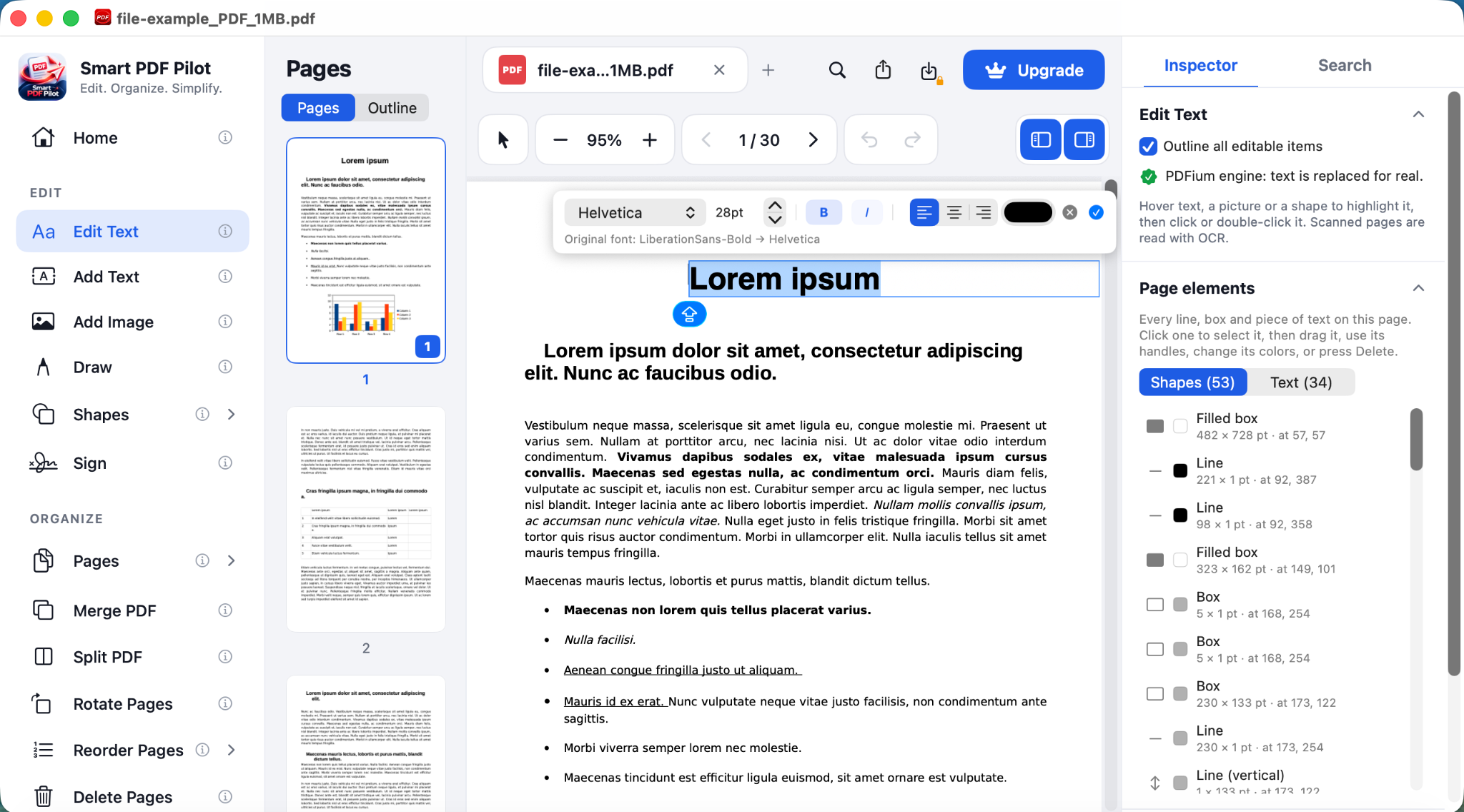
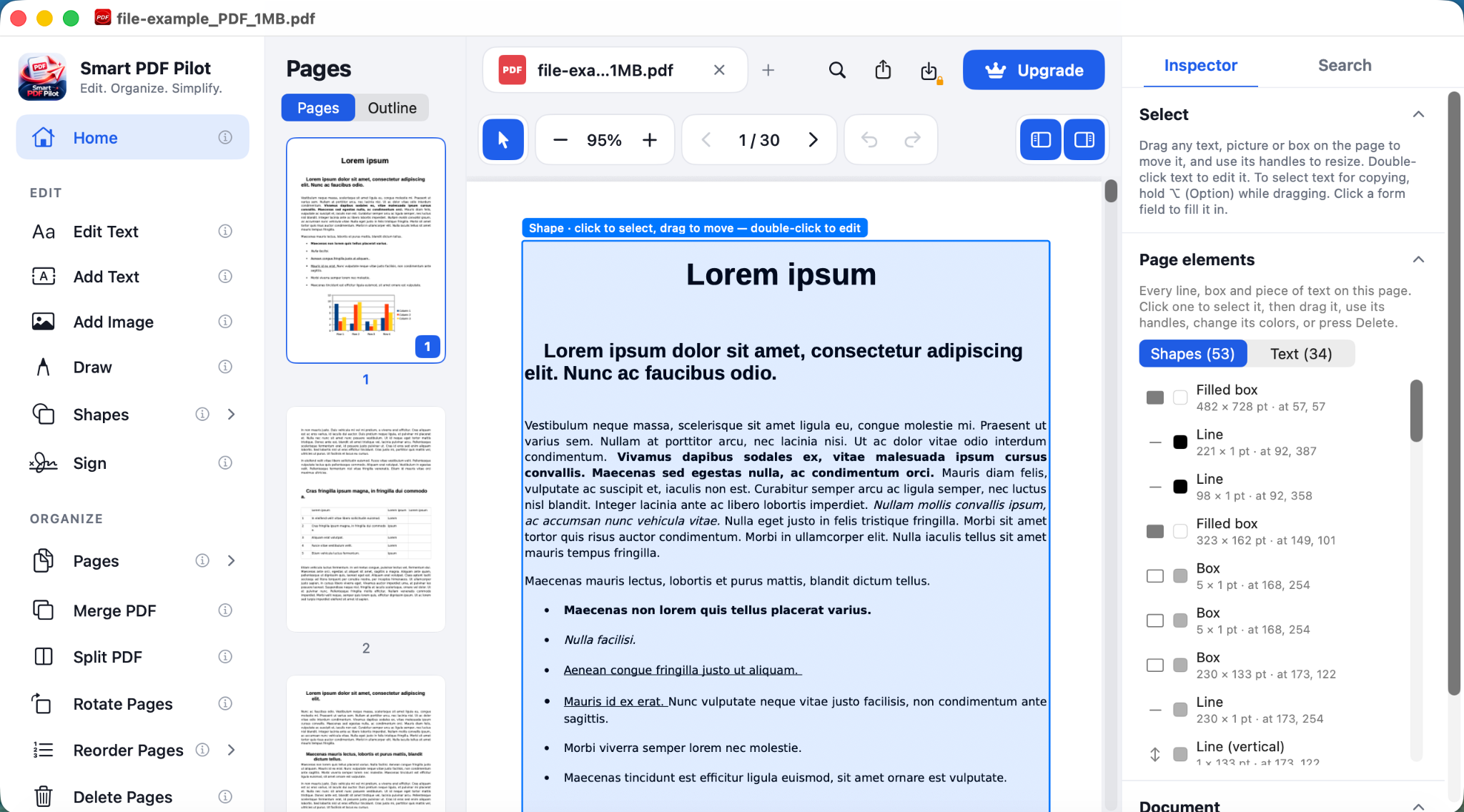
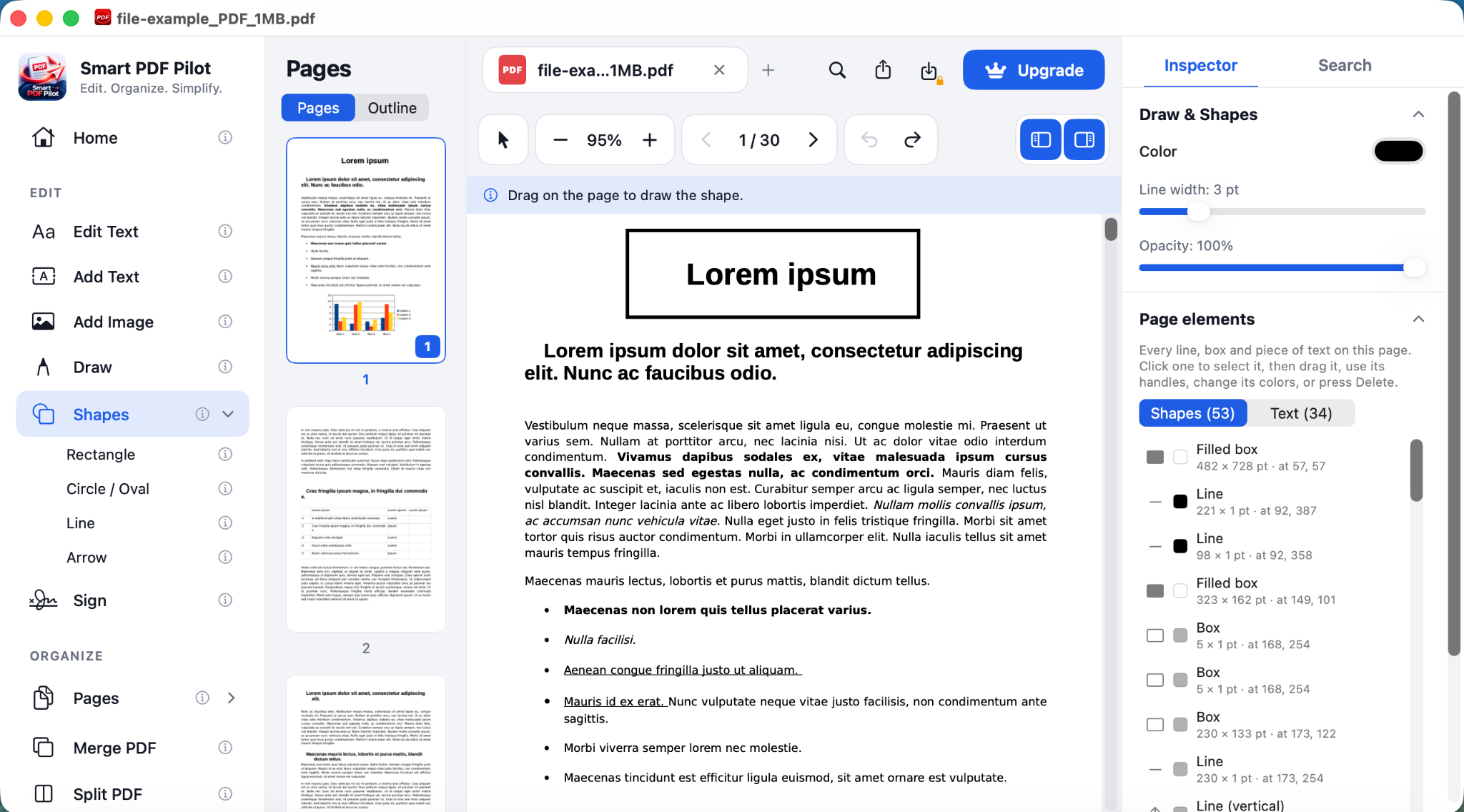
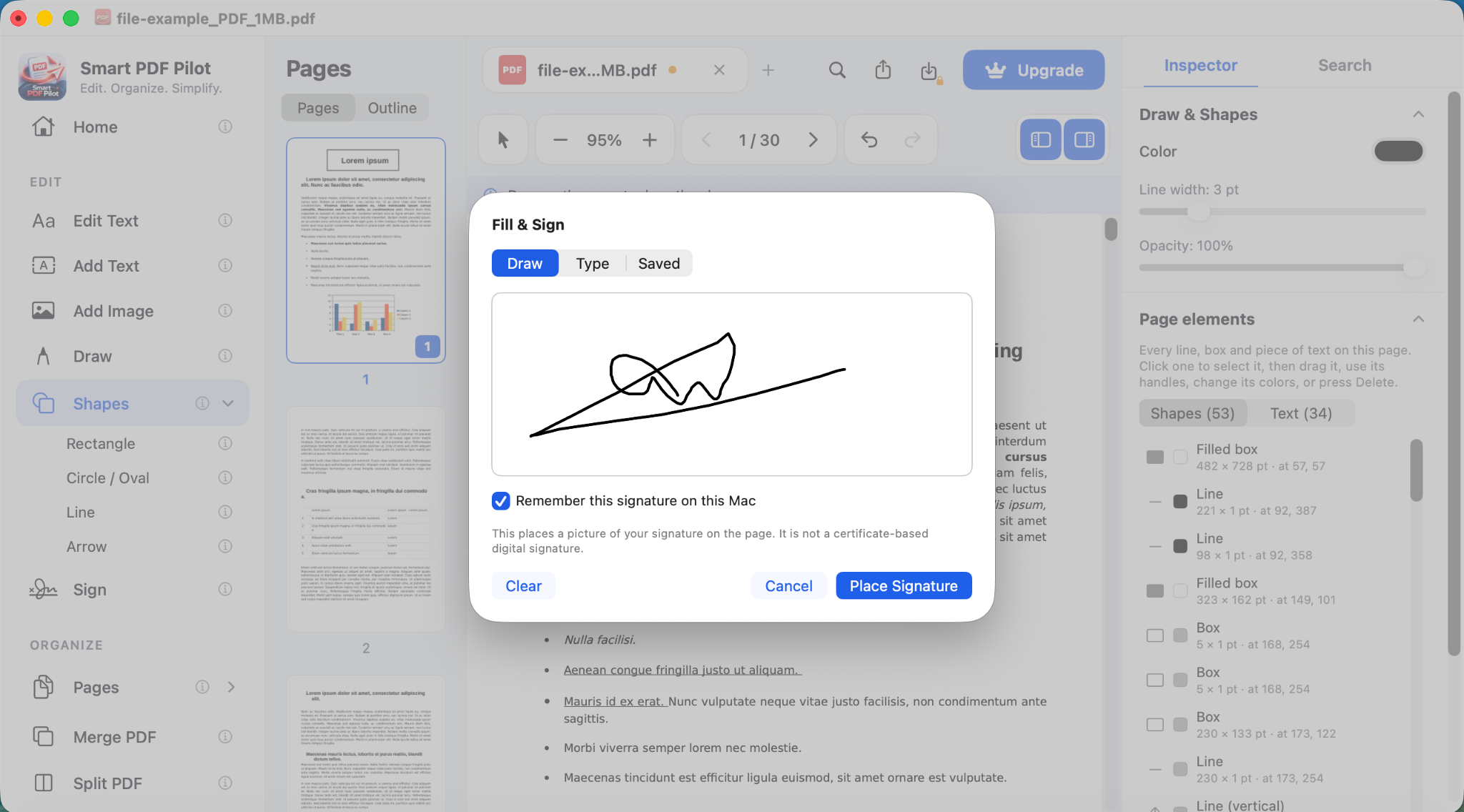
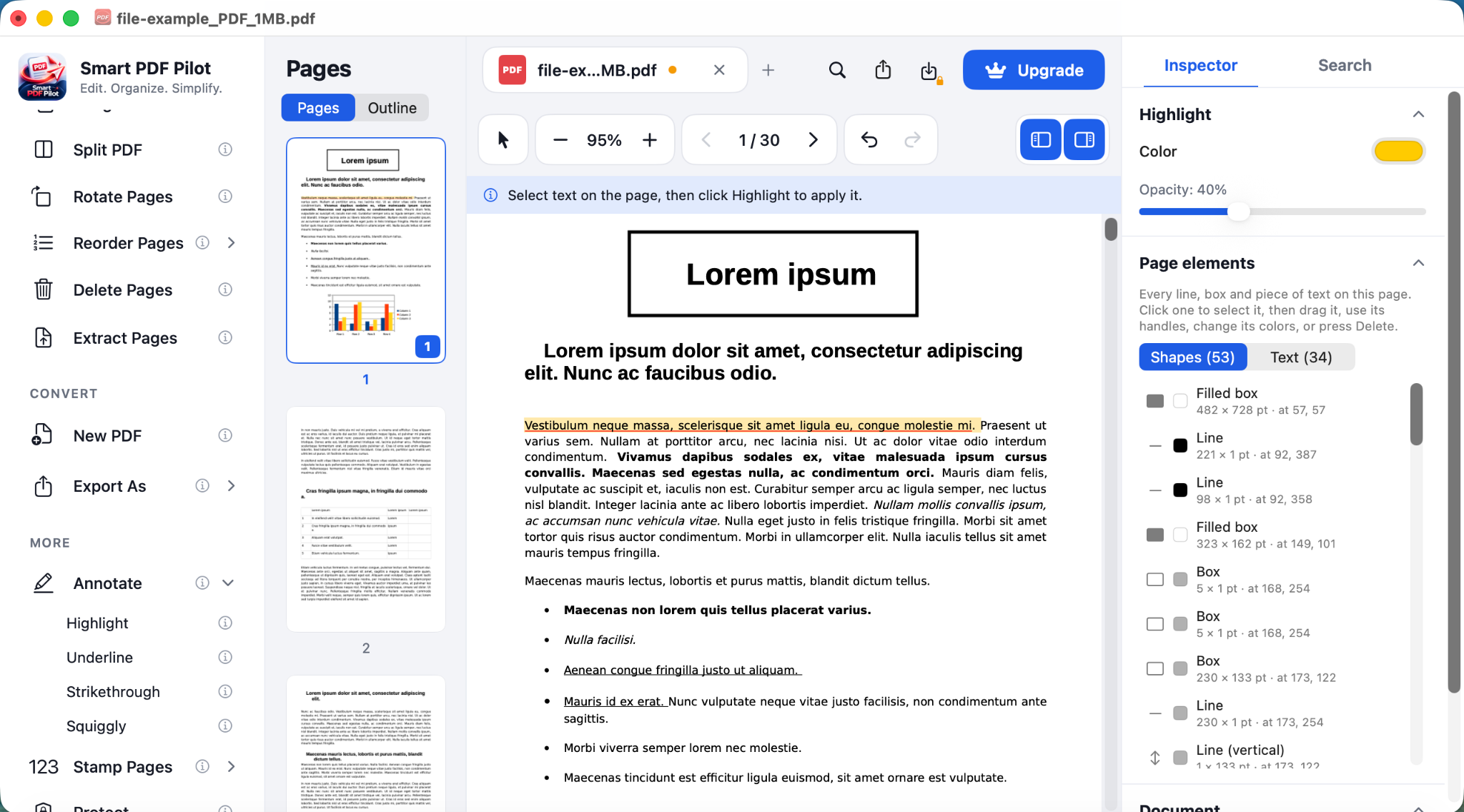
Explore real app screens and watch how everyday PDF tasks come together in one Mac workspace.
04 / ONE WORKSPACE
Less switching. More finishing.
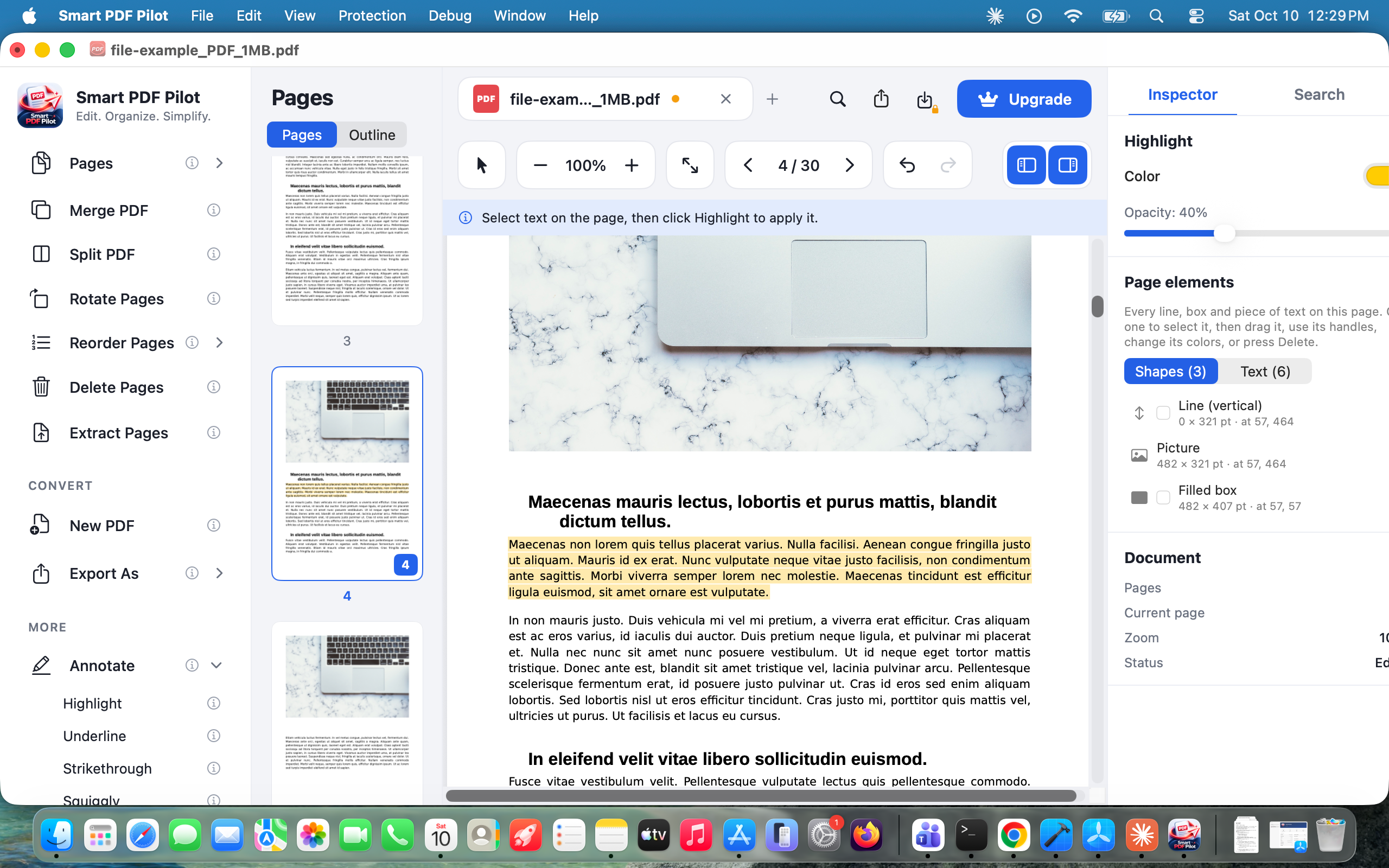
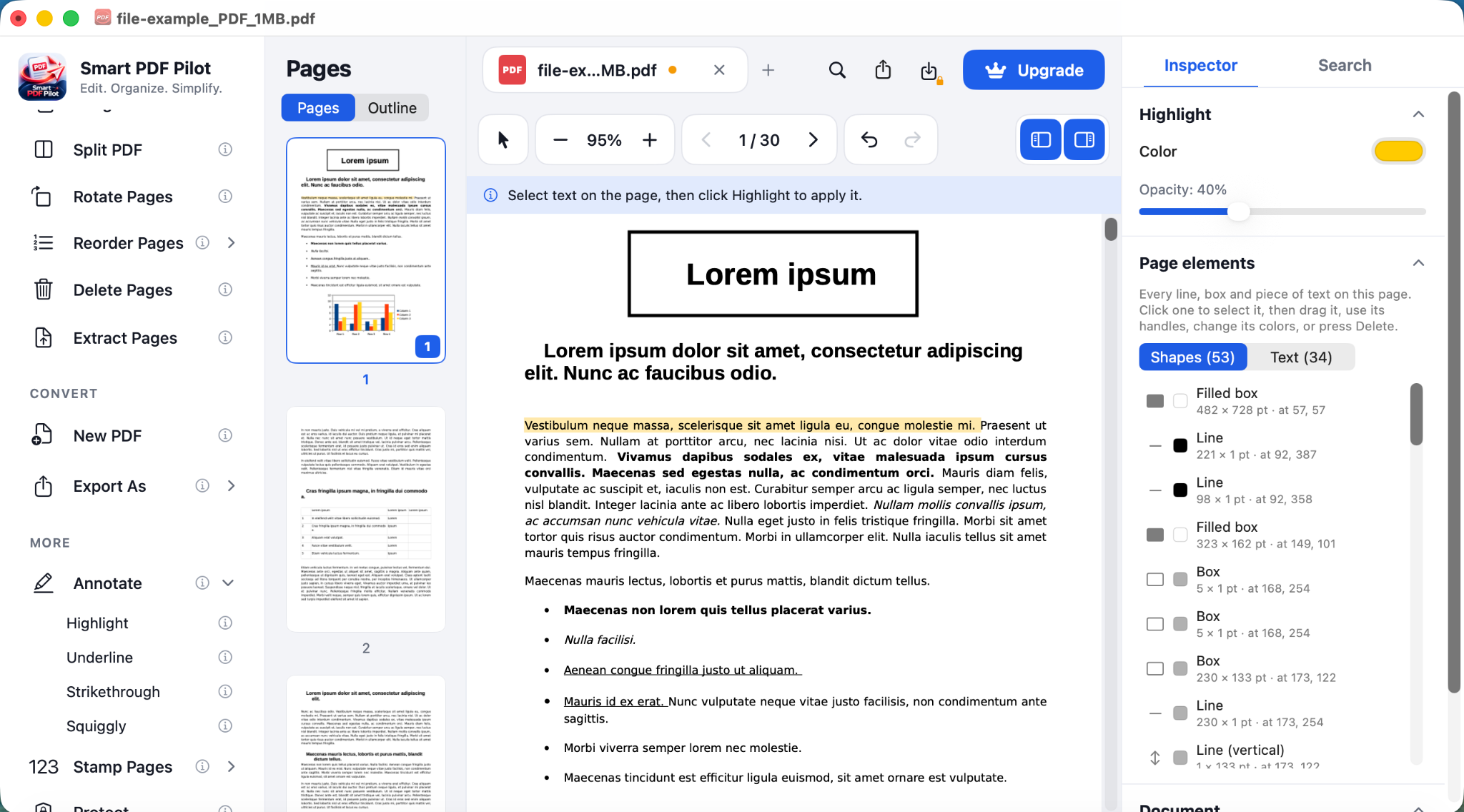
Smart PDF Pilot puts editing, annotating and signing in one workspace, so a PDF job takes fewer steps.
A / EDITING
Make small PDF changes without rebuilding the whole document.
Fix text, adjust images and add content from the same workspace, then check the result without leaving the page.
- Clear editing controls
- Document stays central
- Useful inspector and page context
B / FINISHING
From working document to ready-to-share PDF.
Annotate, complete, sign and prepare the final file with the same calm visual language throughout the workflow.
- Review and annotate
- Complete and sign
- Prepare the final document
05 / THE WORKSPACE AROUND YOUR DOCUMENT
Everything you need, without making the document feel crowded.
Smart PDF Pilot keeps the page at the center and lets the supporting actions sit around it. As you scroll, the workspace opens into the tools people actually use — editing, organizing, signing and preparing the final file.
Edit content, adjust images and inspect the result without losing the page.
Complete fields, signatures and review steps before sharing the final PDF.
Turn scanned content into a searchable, workable document workflow.
Smart PDF Pilot WORKSPACEOne document. The tools around it.
06 / WHY MAC?
A desktop app should feel like a desktop app.
Open a PDF, work on it in a focused desktop workspace and save it, instead of juggling browser tabs.
- Made for Mac
A desktop app you install on your Mac, not a web editor.
- One workspace
Edit, organize, annotate, fill forms and sign in the same window.
- Simple download
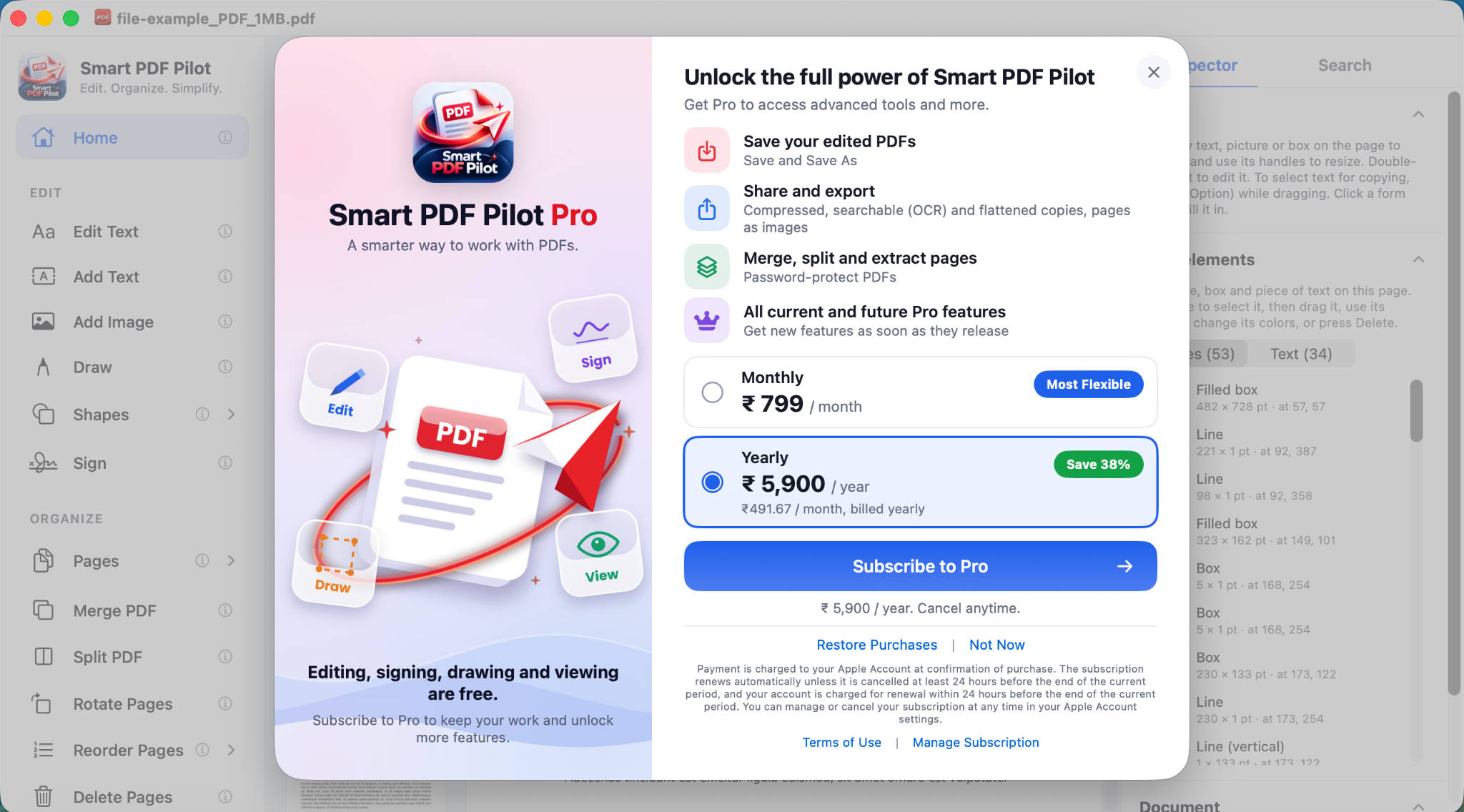
Get it from the Mac App Store and start on the free plan.
- Handled by Apple
Upgrade to Pro through the App Store and manage it in your Apple Account.
07 / REAL DOCUMENT WORK
One PDF app. Many kinds of work.
Invoices, proposals, forms, applications, reports and agreements all look different, but the steps are familiar: open it, fix it, sign it, send it.
01
Explore →
|
02
Explore →
03
Explore →
04
Explore →
Business
Proposals, invoices & contracts
Edit figures, add notes and sign before you send.
- Invoices
- Proposals
- Contracts
Education
Assignments, research & forms
Annotate readings, fill out forms and organize your pages.
- Assignments
- Research
- Forms
Legal
Agreements & important documents
Review agreements, mark them up and sign.
- Agreements
- Mark-up
- Signatures
Personal
Applications, records & everyday PDFs
Fill out applications and keep everyday records tidy.
- Applications
- Records
- Forms
08 / FAQ
Questions before you download?
Quick answers about the Mac app, what is free and what comes with Pro.
Is Smart PDF Pilot a Mac application?
Yes. Smart PDF Pilot is a Mac desktop app, not a browser-based PDF editor. You install it on your Mac and work with your PDFs in the app.
Where do I download it?
Smart PDF Pilot is available on the Mac App Store. Use the Download on the App Store button on this page to open the listing.
What can I do with Smart PDF Pilot?
Edit text and images, organize pages, annotate, fill in forms and sign documents. OCR, signatures and forms are part of Pro.
Is it free to try?
Yes. The Free plan costs $0 and includes basic PDF editing, merge and split, and basic conversion. Pro adds advanced editing, OCR, signatures and forms.
Where can I see pricing?
The pricing page lists both plans. The final price and currency are shown in the Mac App Store before you buy.
Is there a team or business plan?
Not at the moment. There are two plans, Free and Pro. If you plan to use Smart PDF Pilot at work, get in touch.
Smart PDF Pilot FOR MAC
Your PDFs deserve a calmer workspace.
Download Smart PDF Pilot from the Mac App Store and start with the free plan. Upgrade to Pro whenever you need OCR, signatures and forms.